
 My first sig My first sig |


| |$aucy| |
 01/21/05 10:59pm 01/21/05 10:59pm
Post
#1
|
 Major General  Group: {MOB} Posts: 3057 Joined: September 11th 2004 From: New York Member No.: 896 Xfire: bradd  |
I was bored so I downloaded some tutorials and here's what I came up with:
  The top 1 is supposed to have transparency but I haven't quite figured that out yet...  heres another I just finished:  This post has been edited by |$aucy|: 01/21/05 11:01pm -------------------- 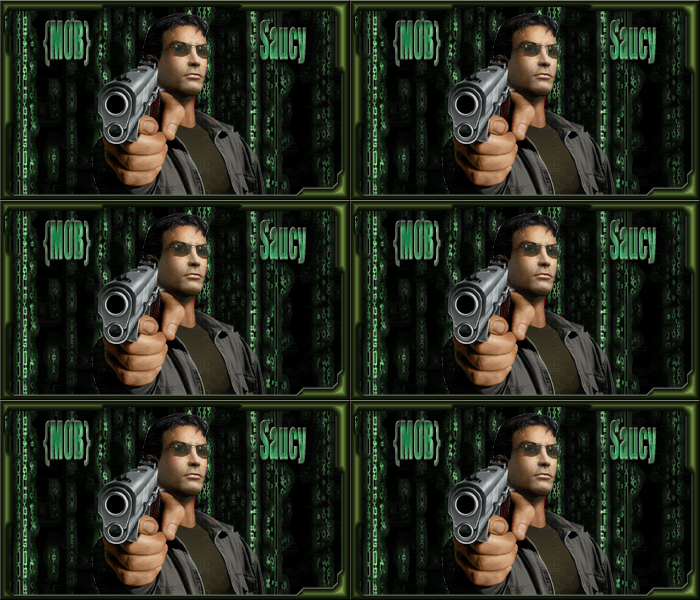 {MOB}... Often Imitated, NEVER duplicated |
   |

 
|
  |
Replies
| ScarFace |
01/22/05 12:32am
Post
#2
|
 Major Group: {MOB} Posts: 594 Joined: November 2nd 2003 Member No.: 495 |
To make the backround clear;
1. Your BG layer must be set to TRANSPERACY 2. When you save it, save it as GIF --------------------  , ,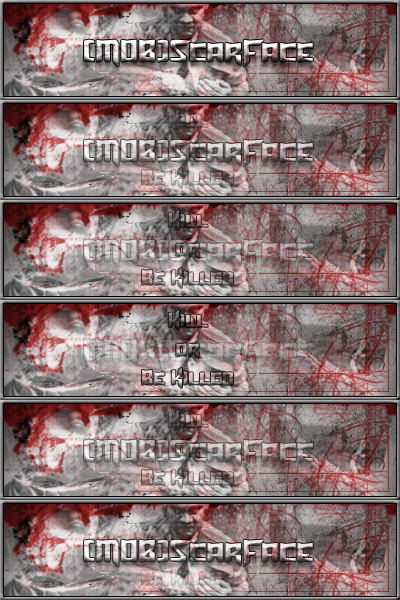 , , |
|
|
|
Posts in this topic
 |$aucy| My first sig 01/21/05 10:59pm
 Solidrocker u gotta teach me shome shit on ps..u hvae 7 right? 01/21/05 11:07pm |$aucy| yea i gots photoshop 7. 01/21/05 11:33pm realdeal Nice work! 01/22/05 12:16am little old man Another crayon user jumps in .Very nice when you g... 01/22/05 2:05am GanGstA_Ba||eR gj my man... 01/22/05 9:18am $layer nice...... 01/22/05 9:39am |$aucy| Very fun.. thx guys, a friend of mine helped me ge... 01/22/05 12:03pm Genetics gj keep it up 01/22/05 2:50pm Bargod What tutorials did you download? I've got pho... 01/22/05 3:34pm
 |$aucy| look for some stuff here: http://www.good-tutorial... 01/22/05 3:39pm
 |
1 User(s) are reading this topic (1 Guests and 0 Anonymous Users)
0 Members:

|
Lo-Fi Version | Time is now: 05/04/26 3:13pm |
Invision Power Board
© 2026 IPS, Inc.